

How can we help?
Search, watch a short video with no sound, or read a quick answer.
Watch and follow along
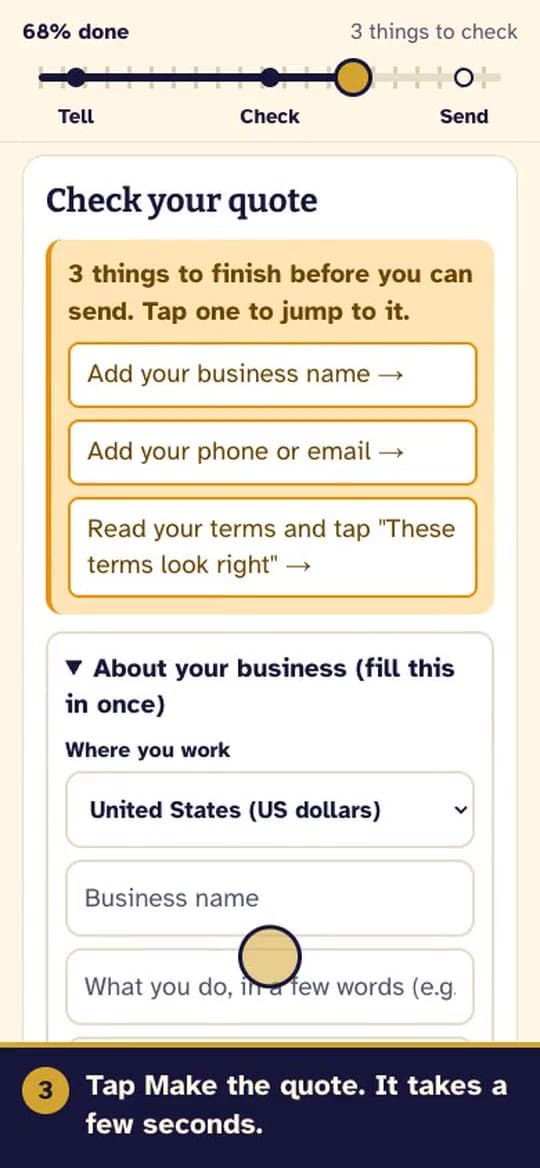
Make a new quote
Tell Spurline about the job and send a clear quote from your own phone.
About 1 minute: watch and read
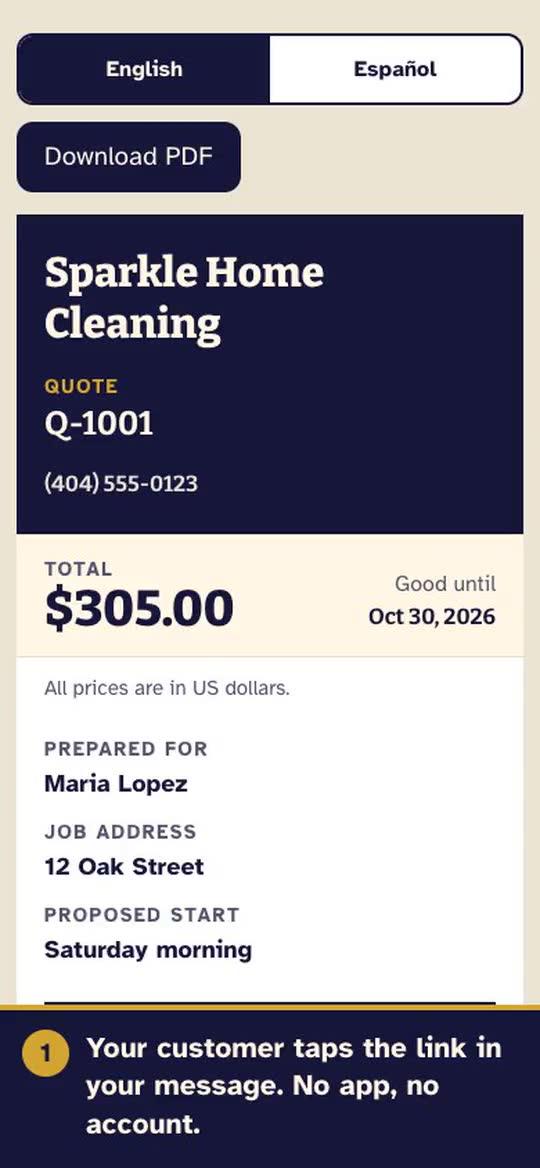
Your customer opens and accepts
What your customer sees on their phone, and how they say yes.
About 30 seconds: watch and read
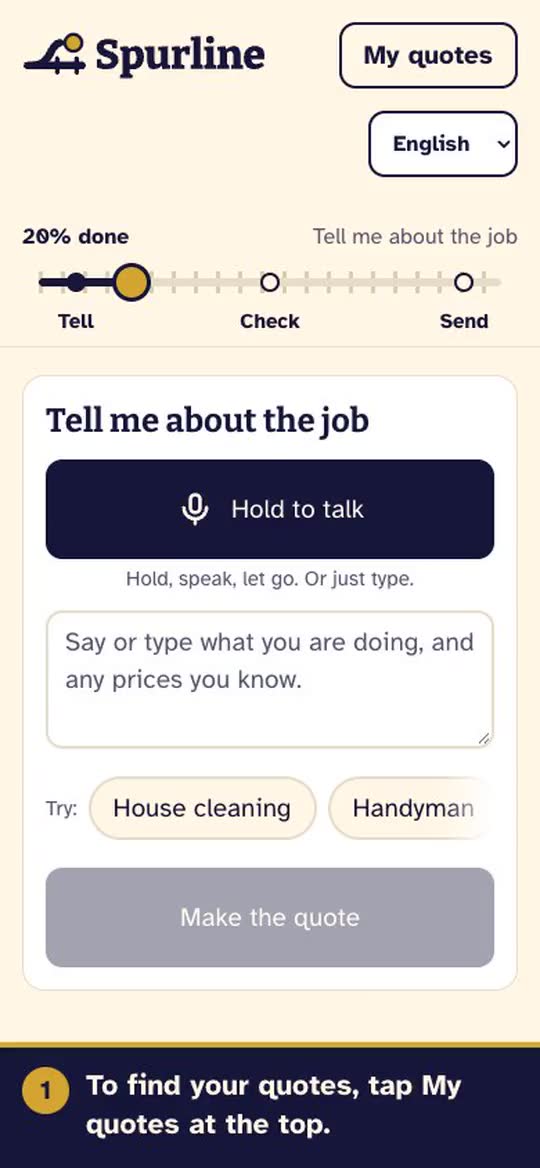
Find your quotes and see approvals
See which quotes were opened or accepted, and send one again.
About 40 seconds: watch and read
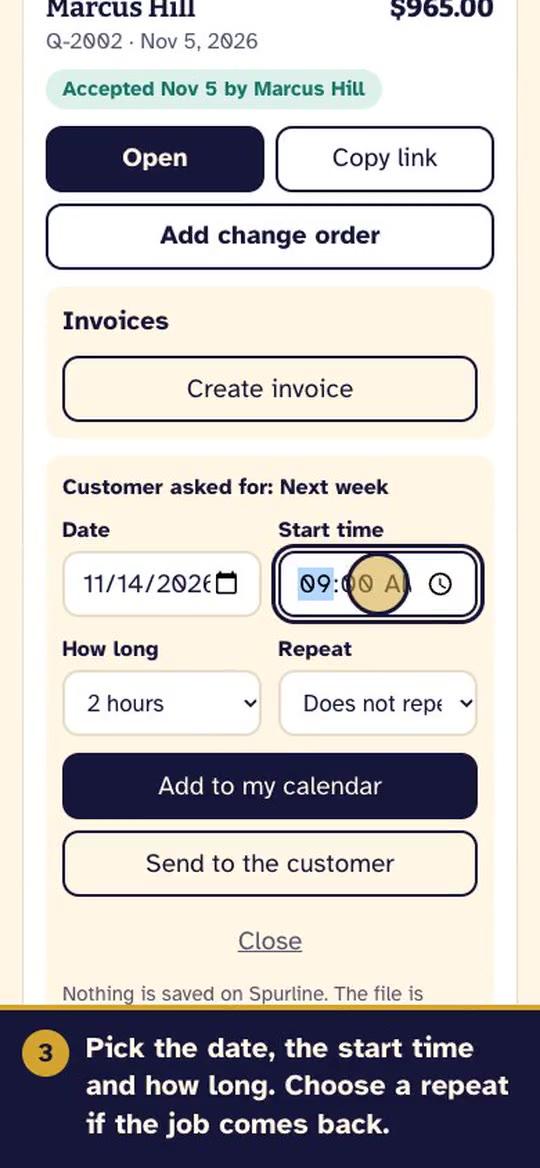
Schedule the job and add extra work
Put an accepted job on your calendar, and add a change order when your customer wants more.
About 50 seconds: watch and read
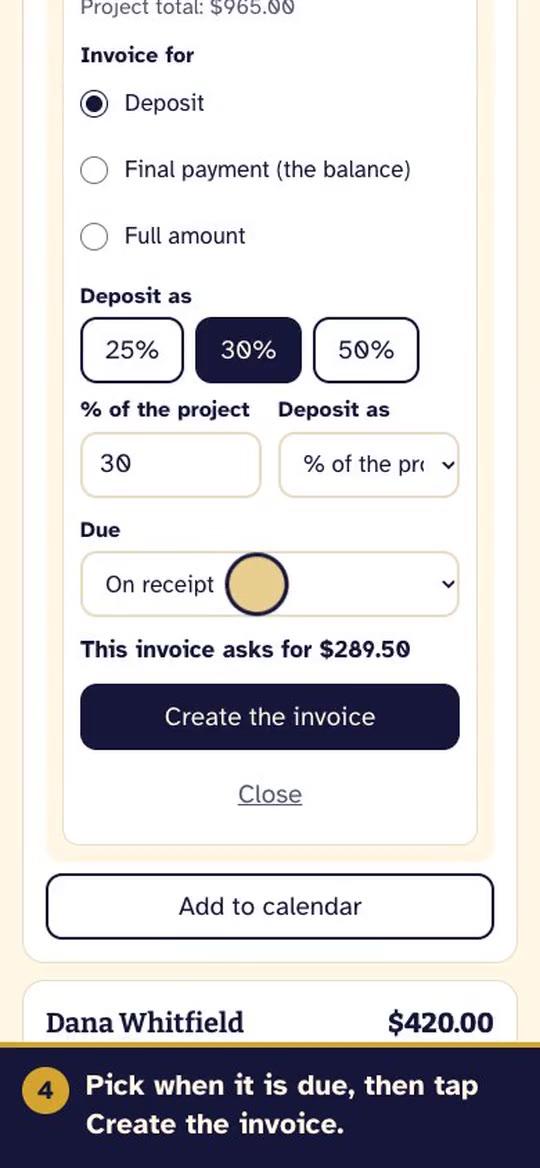
Invoice your customer
Ask for a deposit or the final payment from an accepted quote. Spurline does not collect the money.
About 50 seconds: watch and read
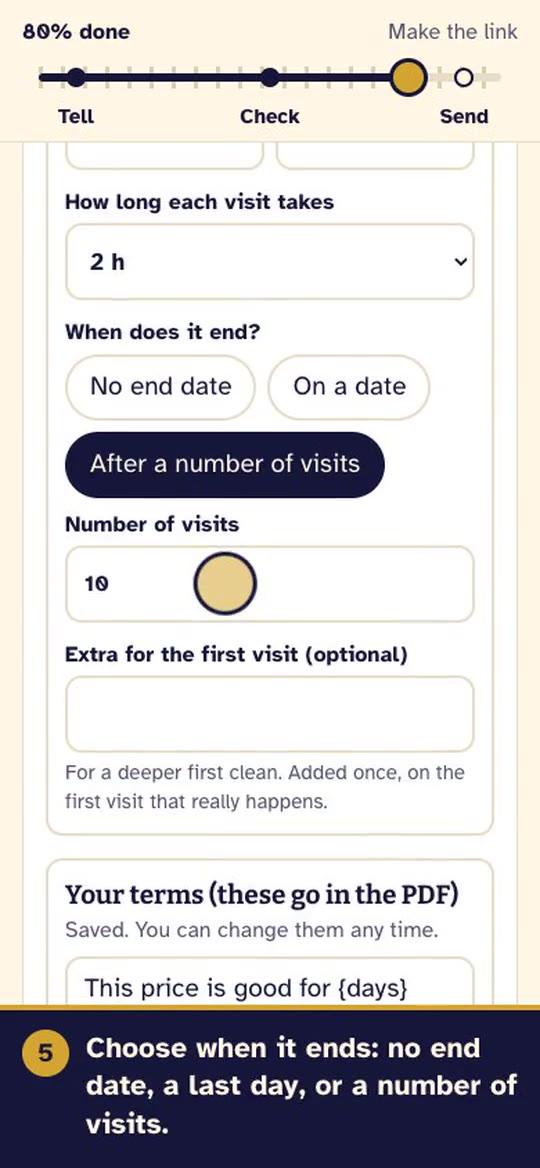
Quote a job that repeats
One quote for a cleaning every week, every other week or every month. Your customer accepts once and sees every visit.
About 50 seconds: watch and read
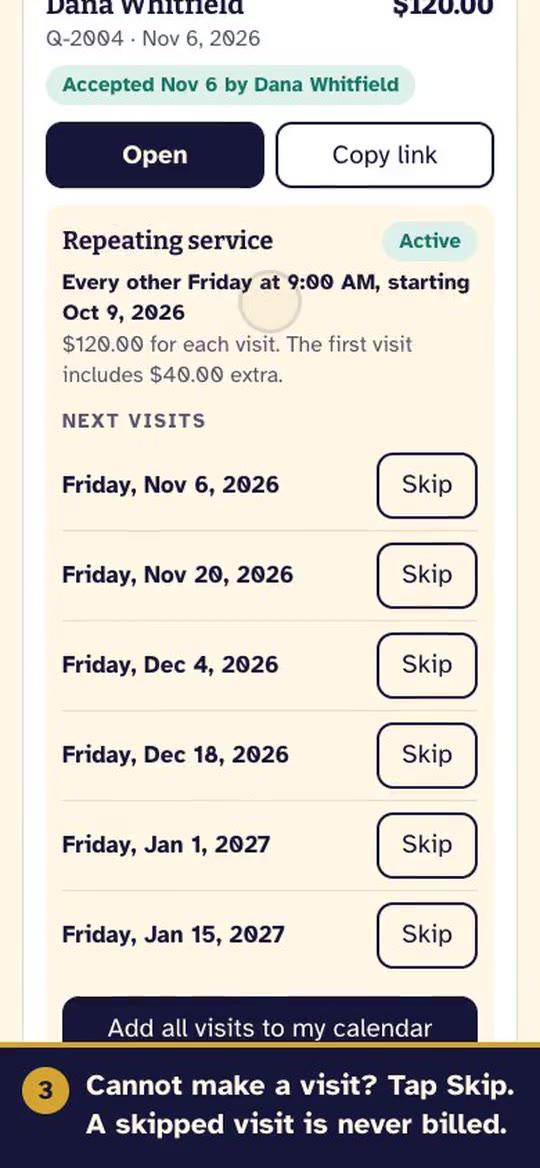
Skip, pause or end a repeating service
Use the Repeating card on My quotes when a visit does not happen or the service stops.
About 45 seconds: watch and read
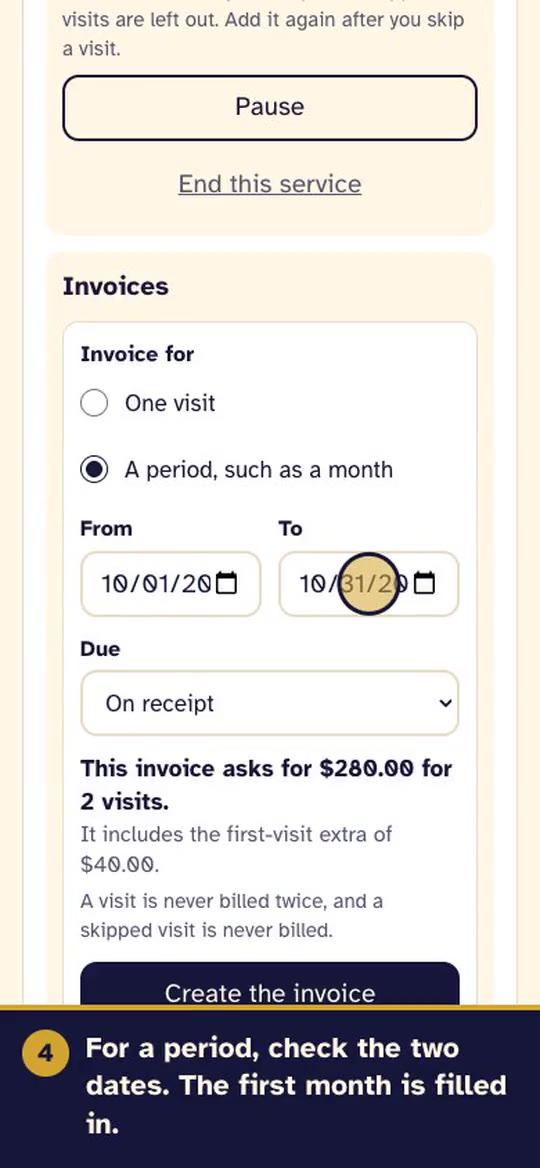
Invoice a repeating service
Bill one visit or a whole period, such as a month, from a repeating quote.
About 55 seconds: watch and read
Quick answers
Getting started
Do I need to sign up?
No. Open spurline.app/new and start. If you add your email later, your quotes follow you to a new phone or browser.
Does Spurline make up prices?
No. It only uses prices you say or save. Anything it was not sure about is marked in a yellow box so you can fix it before you send.
The microphone missed a word. What do I do?
Type it instead, or fix it after the quote is made. Voice is built into your browser or phone, and Spurline receives only the text. We do not record or keep your audio.
Does Spurline send quotes for me?
No. Tap Text it or Email it and your own phone opens with the message ready. You press send.
How do I add how I like to be paid?
After you make your first quote link, Spurline offers to add it, and you can skip. You can also add or change it at any time on My quotes, under Payment options. Do not type bank or card numbers. Use Zelle, Venmo, e-Transfer or a check instead.
How do I put the job on my calendar?
On My quotes, tap Add to calendar under an accepted quote. Pick the date, time, how long and whether it repeats, then tap Add to my calendar. The file opens in your phone's calendar. Nothing is stored on Spurline.
Your customers
Does my customer need an app or an account?
No. They tap your link, read the quote, and accept it on their phone.
Can my customer read the quote in another language?
Yes. In the United States the quote can be offered in English and Spanish. In Canada it can be offered in English, French, Spanish and Serbian. Your customer taps the language at the top of the page.
Does Spurline collect payment?
No. When your customer accepts, that is an agreement, not a payment. Spurline never takes, holds or moves money. You can add how you like to be paid, such as Zelle, cash or check, and your customer sees it after they accept.
When does my customer see how to pay me?
Right after they accept. Before that, the page only says that payment details appear after they accept.
Who can open a quote link?
Anyone who has the link. Send it only to your customer.
Can I add work after my customer accepts?
Yes. On My quotes, tap Add change order under the accepted quote and describe only the extra work. Your customer gets a new link and accepts it on its own page. It is listed under the original quote.
Can I send my customer an invoice?
Yes, once a quote is accepted. On My quotes, tap Create invoice and choose a deposit, a final payment or the full amount. Send the link by text or email and mark it paid yourself. Spurline does not collect payment.
Can I quote a job that repeats, like a cleaning every other week?
Yes. In the quote builder, turn on This job repeats and choose how often, the first visit, the time, how long each visit takes and when it ends. The quote total is the price of each visit. Your customer accepts once and sees every visit. Later, on My quotes, you can skip a visit, pause or end the service.
How do I invoice a job that repeats?
On My quotes, tap Create invoice under the repeating quote and choose One visit or A period, such as a month. Spurline shows the amount first. A visit is never billed twice, and a skipped visit is never billed.
Your information
My quotes disappeared. How do I get them back?
Quotes are kept with this browser unless you added your email. On My quotes, use the Keep your quotes box to add it, then tap the link we send you.
How do I ask for my information to be corrected or deleted?
Write to the address on the Privacy page. We reply and take care of it.
Is Spurline free?
It is free to try while we are in the pilot.
Still stuck?
Email us at feedback@spurline.app. A real person answers. Tell us what you were trying to do and what you saw, and a photo of the screen helps.